

A WHMCS provisioning module is the piece of WHMCS that actually delivers what your customer paid for. When an order is paid, it reaches out to your server, control panel or service, creates the account and hands the login details back to WHMCS. When an invoice goes unpaid, it suspends the account. This guide explains how provisioning modules work, what’s inside one, and when it makes sense to build your own.
What Is a WHMCS Provisioning Module?
WHMCS handles orders and billing, but it doesn’t know how to create a cPanel account, spin up a VPS or issue a software license on its own. A provisioning module (WHMCS also calls them server modules) is the translator. It takes WHMCS commands like “create,” “suspend” and “terminate” and turns them into the API calls a specific platform understands.
WHMCS ships with modules for popular platforms like cPanel, Plesk and DirectAdmin. Our WHMCS cPanel setup guide shows the built-in cPanel module in action. Anything else you sell, from game servers to SaaS accounts, needs its own WHMCS provisioning module, either from the WHMCS Marketplace or built to order.
What a Provisioning Module Does
According to the official WHMCS core module functions documentation, every WHMCS provisioning module can handle the same set of core actions:
- Create: set up a new account when an order is paid.
- Suspend: switch off an account when an invoice is overdue.
- Unsuspend: switch it back on when the customer pays.
- Terminate: remove the account when it’s cancelled.
- Renew: tell the platform the service has been paid for another term.
- Change Password: update the account’s login.
- Change Package: move the account to a bigger or smaller plan on upgrade or downgrade.
These run automatically through the WHMCS cron and your WHMCS automation settings, and staff can also trigger them by hand with the buttons on each service.
Inside a WHMCS Provisioning Module
A WHMCS provisioning module is a PHP file in its own folder under /modules/servers/. If the module is called mymodule, the file lives at /modules/servers/mymodule/mymodule.php, and every function in it starts with the module name. Here’s a stripped-down example showing the basic shape:
<?php
if (!defined('WHMCS')) {
    die('This file cannot be accessed directly');
}

// Basic details WHMCS shows in the admin area.
function mymodule_MetaData()
{
    return [
        'DisplayName'    => 'My Platform',
        'APIVersion'     => '1.1',
        'RequiresServer' => true,
    ];
}

// Settings that appear on each product's Module Settings tab.
function mymodule_ConfigOptions()
{
    return [
        'Plan' => [
            'Type'        => 'text',
            'Size'        => '25',
            'Description' => 'Plan name on your platform',
        ],
    ];
}

// Runs when an order is paid or staff click Create.
function mymodule_CreateAccount(array $params)
{
    try {
        // $params includes the service username, password, domain,
        // server details and product settings (configoption1, and so on).
        // Call your platform's API here to create the account.

        return 'success';
    } catch (Exception $e) {
        logModuleCall('mymodule', __FUNCTION__, $params, $e->getMessage());
        return $e->getMessage();
    }
}
A few things to notice:
- Return “success” or an error message. That’s how WHMCS knows whether it worked. An error message is shown to your staff, so make it clear.
$paramscarries everything. WHMCS passes in the service’s username, password and domain, the server’s hostname and login, the customer’s details and the product’s settings.logModuleCall()is your best friend. It writes the request and response to the WHMCS module log, which is where you’ll look first when something goes wrong.
A complete module adds the other functions, such as SuspendAccount, UnsuspendAccount and TerminateAccount, and often a TestConnection function for the server setup screen and a ClientArea function that shows customers useful details in their client area.
Provisioning Modules vs. Other WHMCS Modules
WHMCS has several kinds of modules, and it helps to know which one you need:
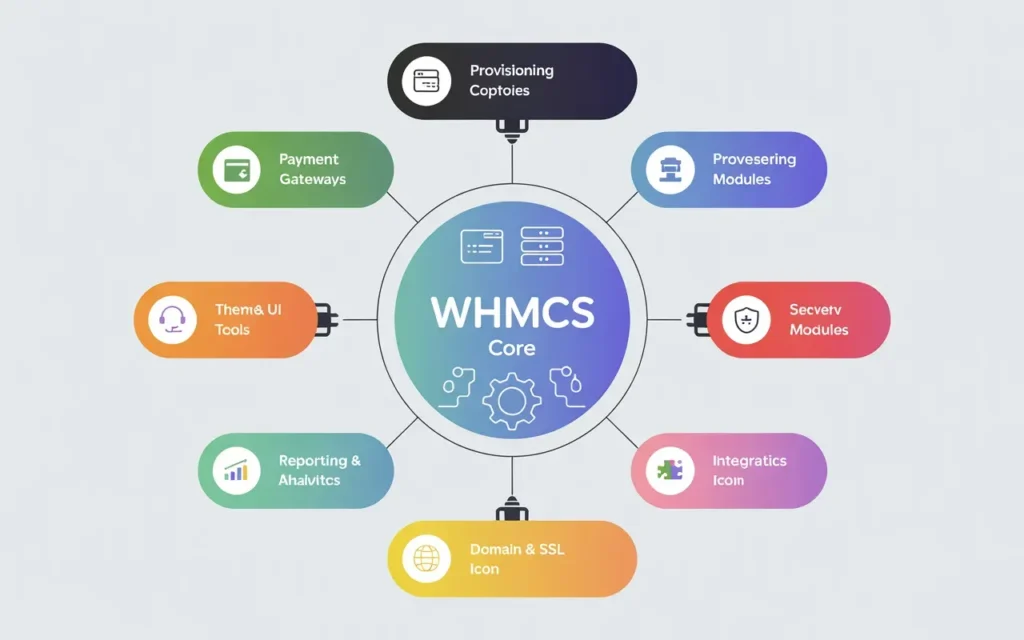
- Provisioning (server) modules deliver a product: accounts, servers, licenses.
- Addon modules add new features to WHMCS itself. See our WHMCS addon module guide.
- Registrar modules connect WHMCS to a domain registrar.
- Payment gateway modules connect WHMCS to a payment processor.
- Hooks aren’t modules at all; they’re small pieces of code that react to events. Our WHMCS hooks guide explains them.
When You Need a Custom WHMCS Provisioning Module
Check the WHMCS Marketplace first. If a well-supported module already exists for your platform, it’s usually the faster and cheaper option. A custom WHMCS provisioning module makes sense when:
- You sell something with no existing module, such as your own software, a niche control panel or an in-house platform.
- The existing module doesn’t support a feature you rely on, or hasn’t been updated in years.
- Someone on your team is still creating accounts by hand after every order.
That last one is the clearest sign. If a person is copying details from WHMCS into another system after every sale, a module can do it instantly, every time, without typos.
Tips for Building a Reliable Module
- Test every action on a staging install, including the unhappy paths: a failed API call, a duplicate username, a server that’s offline.
- Never put secrets in the code. Server logins and API keys belong in the WHMCS server settings, where WHMCS stores them encrypted.
- Log every API call with
logModuleCall(), and hide passwords in the log. - Write error messages for humans. “Username already taken on the platform” beats “Error 409.”
- Follow the official docs. WHMCS’s official provisioning modules documentation includes a sample module to start from.
Frequently Asked Questions
Is a server module the same as a WHMCS provisioning module?
Yes. WHMCS uses both names, and the files live in the /modules/servers/ folder.
How long does it take to build a custom module?
It depends mostly on the platform’s API. A module for a platform with a clean, well-documented API can be quick; one with an unusual or poorly documented API takes longer. A clear scope up front is the best way to get an accurate timeline.
Will a custom module break when WHMCS updates?
Not if it’s built on the official module functions. Those are designed to stay stable across updates. It’s still smart to test after major WHMCS releases.
Need a WHMCS Provisioning Module Built?
We build custom WHMCS modules, including provisioning, registrar, payment and addon modules, against the official WHMCS APIs, and you get the full source code. See all our WHMCS addons & modules, or tell us what you need to automate.

