
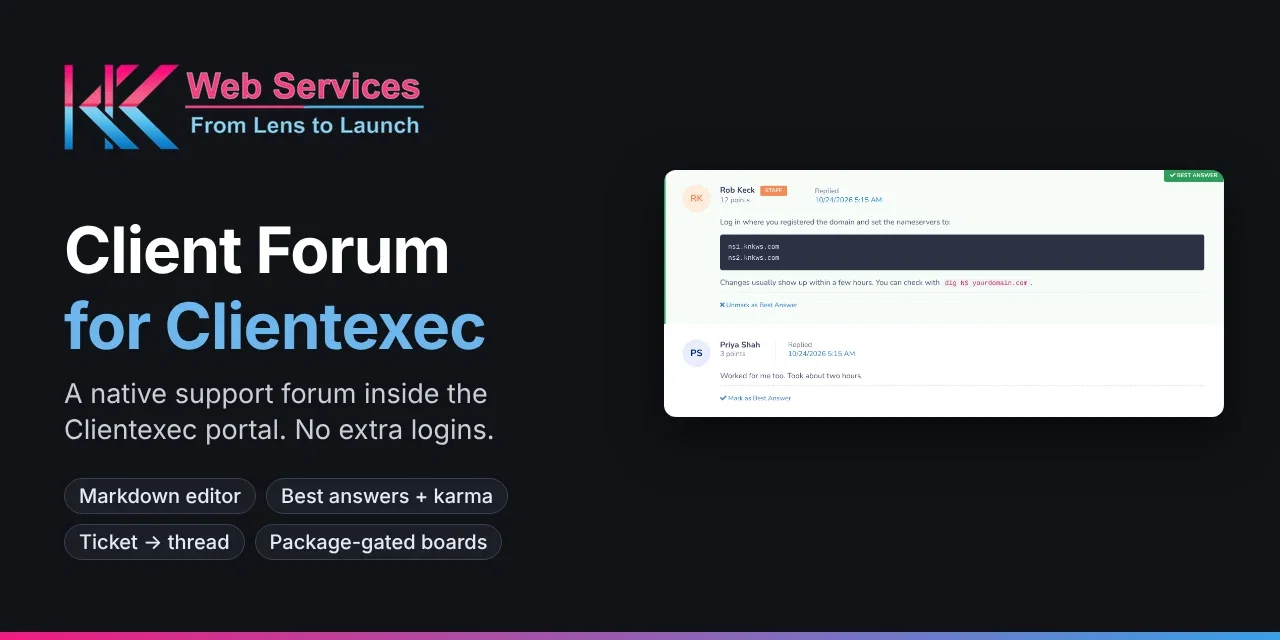
CLIENTEXEC CLIENT FORUM
A support forum that lives inside your Clientexec client portal.
Client Forum is a Clientexec forum plugin that adds a real community to your client portal: categories, boards and threads, with boards you can limit to the packages your clients already own. Clients post with the Clientexec login they already have. No new accounts, no separate forum software, no second password.
Built and tested on Clientexec 7.3 · Installs as a snapin · Uses the client’s existing login · Zero new client accounts · Follows Light and Dark admin themes
Who this Clientexec forum plugin is built for
Hosting companies on Clientexec
Give shared, reseller and VPS clients one place to find answers, instead of opening the same ticket again and again. Package-restricted boards keep each plan’s questions in the right place.
Software & license sellers
Selling licenses or a SaaS product through Clientexec? Give paying customers a support and feature-request community without running a separate forum and syncing accounts to it.
Agencies & service businesses
Your forum stays inside your own client portal, styled like the rest of it. Clients never leave your site or meet a third-party tool with your logo pasted on top.
Why use a Clientexec forum plugin instead of a standalone forum?
Forum software like Discourse, Flarum or phpBB works well on its own, but bolting one onto a billing system means running a second login system, keeping a separate database in step with your client list, and hand-maintaining who should see which areas as clients buy and cancel services. Every one of those jobs becomes another thing to patch, back up and troubleshoot.
A Clientexec forum plugin skips all of that. Client Forum runs inside Clientexec itself, signs clients in with the session they already have, and reads package ownership straight from the services Clientexec already tracks. When a client upgrades, cancels or gets suspended, their board access follows automatically. There is no sync job, no single sign-on bridge to configure, and nothing extra to host.
The tradeoff is scope. This Clientexec forum plugin is built for the relationship between you and your paying clients, not as a public community for anonymous visitors. If you need public, search-indexed discussions open to anyone, a standalone platform is still the better fit. If you want your existing clients helping each other inside the portal they already use, this is the simpler path.
A typical use case
Picture a hosting company running Clientexec with a few hundred clients across shared, reseller and VPS plans. Every week the same questions land in the ticket queue: how to point nameservers, why email forwarding stopped, how to restore a backup. Each one gets answered privately, then answered again the next time another client hits the same problem.
With the Clientexec forum plugin installed, staff promote one of those tickets into a public thread on the shared-hosting board. The next client with the same question searches the forum first, finds the answer, and never opens a ticket. Over a few months the boards fill up with answers to the questions your clients actually ask. It is a knowledge base shaped by real support, not one written in a vacuum.
Reseller and VPS clients get their own restricted boards, so shared-hosting customers never wade through server-administration threads, and technical clients get a space suited to them without basic setup questions in the way.
Everything a client forum needs
This Clientexec forum plugin covers the parts your clients use every day, done properly, and all of it is in the free version.
Sign in once
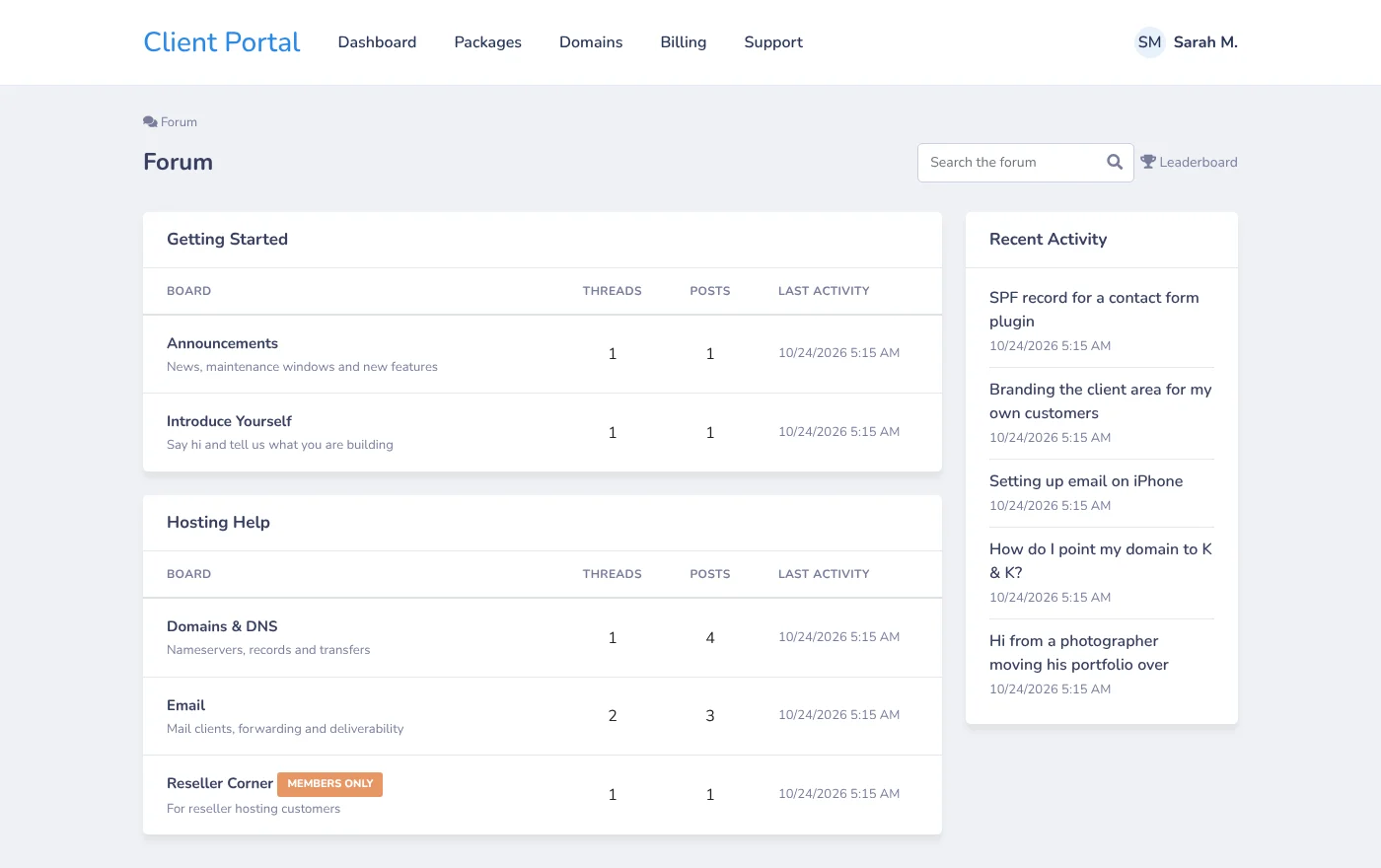
Clients post with their existing Clientexec login. A Forum link appears under Support in the portal menu, plus a Community Forum tile on the portal home page.
Boards for the right people
Restrict any board to clients with an active or suspended service on the packages you choose.
Turn tickets into answers
Promote a Clientexec support ticket into a public thread in two clicks. The original message carries over and the ticket gets an internal note linking to the thread.
Write with Markdown
A formatting toolbar with Write and Preview tabs: bold, italic, code, links, lists and quotes, without touching HTML. Pasted web addresses become clickable links.
Karma, best answers, leaderboard
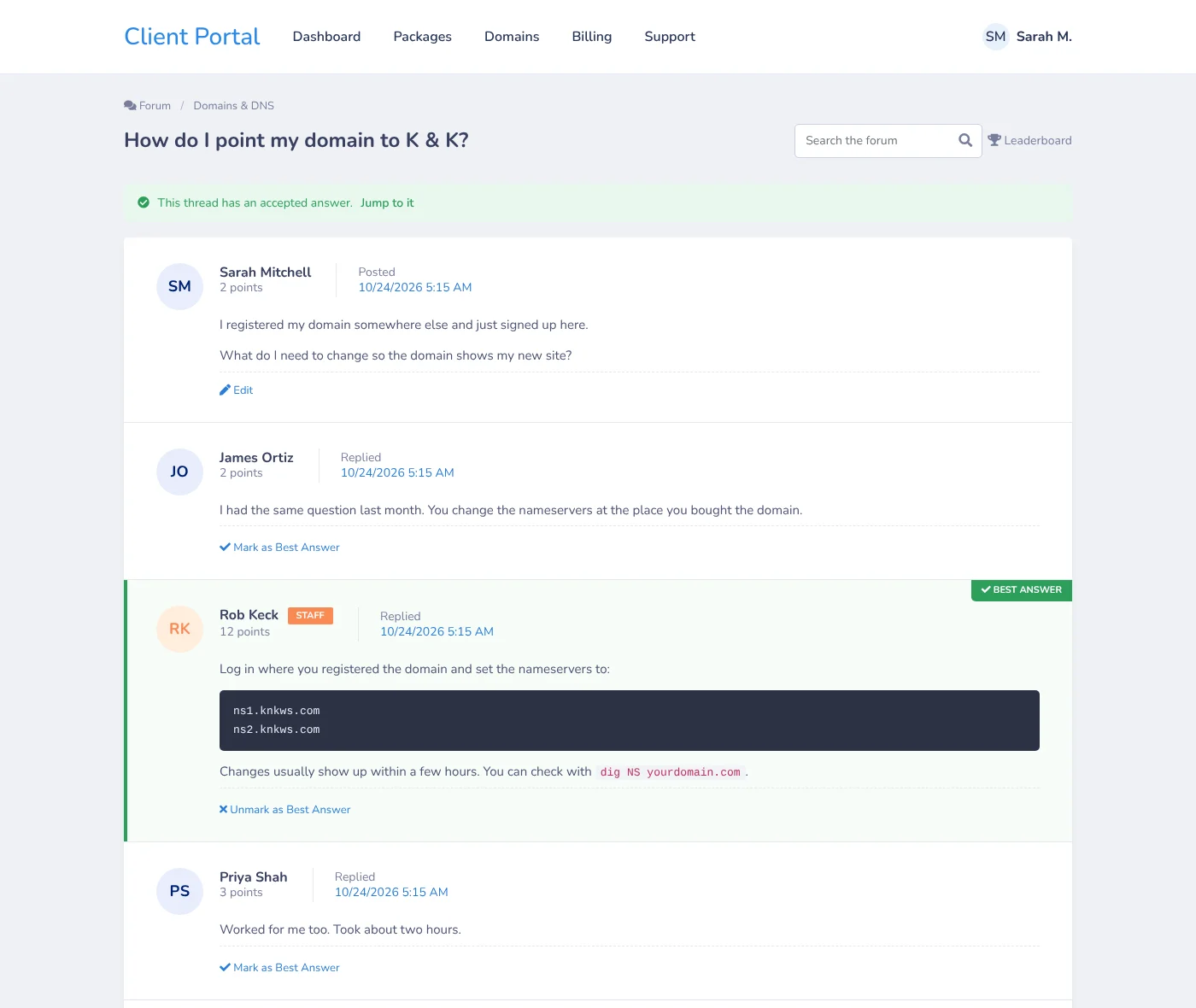
Points for threads, replies and accepted answers, one-click best-answer marking, and a leaderboard of your most helpful clients.
Search that works
MySQL full-text search across thread titles and posts. It only shows results from boards the client is allowed to see.
Moderation tools
Pin, lock and delete threads, and post announcements. Staff post under their own Clientexec account and get a Staff badge automatically.
Slack & Discord alerts
Get pinged in Slack or Discord when a new thread is posted, with a Test Webhooks button right in the snapin settings.
Built to hold up
Clientexec’s session check plus a forum token on every form, all content escaped before display, and per-client rate limiting against spam floods.
How ticket-to-thread promotion works

In the admin, open Accounts → Client Forum → Promote Tickets. The Clientexec forum plugin lists your support tickets, filtered by status or searched by subject. Pick a board and click Promote. The ticket’s original message becomes the opening post of a new thread under the client’s name, and an internal note is added to the ticket linking to the thread. The ticket itself is not closed or changed, so your normal support workflow carries on as usual.
Tickets opened by email from someone without a client account can’t be promoted, because every thread needs a client author. The plugin marks those tickets clearly so there are no surprises. No extra support plugin is needed: it works with Clientexec’s built-in tickets.
Package-restricted boards, explained
Any board can be open to every client or restricted to chosen packages. A restricted board is only shown to clients holding an active or suspended service on one of those packages. It doesn’t appear in their board list, in search results, in recent activity or anywhere else. Because the Clientexec forum plugin checks live service data every time, access updates on its own as clients order, upgrade or cancel. A restricted board with no packages selected stays hidden from everyone, so a half-finished board never leaks.
Does it slow down Clientexec?
No, not noticeably. This Clientexec forum plugin adds a handful of its own database tables and a few client and admin pages. It doesn’t touch billing, invoicing, provisioning or how tickets work. Forum pages load quickly because each query is limited to one board or thread at a time and uses indexed columns, and search runs on MySQL’s built-in full-text indexes rather than scanning every post.
Get this Clientexec forum plugin live in three steps
1. Install
Extract the zip into your Clientexec folder so it lands at plugins/snapin/clientforum/, then enable it under Settings → Plugins → Snapins → Client Forum.
2. Set up boards
Open Accounts → Client Forum in the admin. The forum’s tables are created on that first visit. Add your categories and boards.
3. Open to clients
Support → Forum and a Community Forum tile appear in the client portal. Nothing for clients to install or register.
Requirements:
- Clientexec: 7.3 (built and tested on 7.3.0); should also run on 7.2
- PHP: 8.0 or newer, with curl for Slack/Discord alerts
- Database: MySQL 5.6+ or MariaDB 10.0.5+ with InnoDB
- Tickets: Clientexec’s built-in support system, for ticket-to-thread promotion
Questions Clientexec admins ask first
Do clients need to create a new account?
No. This Clientexec forum plugin uses the client’s existing Clientexec login, the same one they use for invoices and support tickets.
Can I restrict a board to clients with a specific package?
Yes. When you add a board, tick “Restricted” and choose the packages. Only clients with an active or suspended service on one of those packages can see it. Cancelled services lose access automatically.
Where do I find the forum in the admin?
Under Accounts → Client Forum. Clientexec also lists a Forum link under Support, because that’s where the client portal menu entry lives. Both open the same admin page.
Does it support Clientexec’s dark mode?
Yes. The admin pages use Clientexec 7.3’s own colour settings, so they follow each staff member’s Light, Dark or Auto colour scheme. Client pages use the portal’s own styling.
Can I translate it?
Yes. Every piece of text runs through Clientexec’s language system, so it can be translated the same way as the rest of your Clientexec install.
What happens to forum content if I disable it?
Disabling the snapin hides the forum and keeps all content, so you can turn it back on any time. To remove the data completely, drop the eight clientforum_ database tables.
Is the Clientexec forum plugin really free?
Yes. Every feature on this page is in the free version: boards, package restrictions, the Markdown editor, karma and best answers, search, ticket promotion and Slack/Discord alerts. A Pro version with extra moderation and community features is on the way. Tell us which features you want and we’ll build those first.
How does the Clientexec forum plugin handle spam and abuse?
Only logged-in clients can post, every form is checked against the client’s Clientexec session, and each client is limited to five posts a minute. Staff can lock or delete any thread, and clients can’t edit their posts once a thread is locked.
Can staff take part in threads?
Yes. Staff post under their own Clientexec account with a Staff badge, can post announcements from the admin, see every board, and can mark or change the best answer in any thread.
How do I update the Clientexec forum plugin?
Extract the new version over the old files in plugins/snapin/clientforum/. Any database changes are applied automatically on the next forum page load. Your boards, threads and settings are kept.
Pro version coming. Reactions, canned responses, profile photos, spam filtering and more. Tell us which features you want.
Client Forum is a Clientexec plugin by K & K Web Services. Not affiliated with or endorsed by Clientexec.
