

The best WHMCS addons do one of three things: they cut down your support tickets, they give clients a reason to log in, or they help you sell more. WHMCS handles billing, provisioning and support out of the box, but every hosting business eventually hits something it doesn’t do. That’s where the best WHMCS addons earn their place. This guide walks through the seven types of addons worth considering, what WHMCS already covers for free, and a simple checklist for choosing addons you won’t regret installing.
What Counts as a WHMCS Addon?
People use “addon” loosely, so it helps to be clear. In WHMCS, an addon module is a piece of software you upload to modules/addons/ and activate under Configuration → System Settings → Addon Modules. It can add admin pages, client area pages, hooks and scheduled tasks. Themes, payment gateways and registrar modules are technically different module types, but most hosts lump them all together when they search for WHMCS addons or plugins, so we cover them here too.
If you want to understand how addon modules work under the hood, our guide to WHMCS addon module development explains the file structure and the functions every addon uses. The official WHMCS addon module documentation is the reference for developers.
Start With What WHMCS Already Includes
Before you buy anything, check what’s already in your admin area. WHMCS includes a knowledgebase, announcements, network status, support tickets with predefined replies, built-in reports, two-factor authentication for staff and clients, and modules for common payment gateways and domain registrars. Plenty of hosts pay for an addon that duplicates a built-in feature they never switched on.
A quick tour of Configuration → System Settings and the Reports menu often turns up features you forgot existed. The best WHMCS addons fill the gaps that remain after that, not the ones WHMCS already covers.
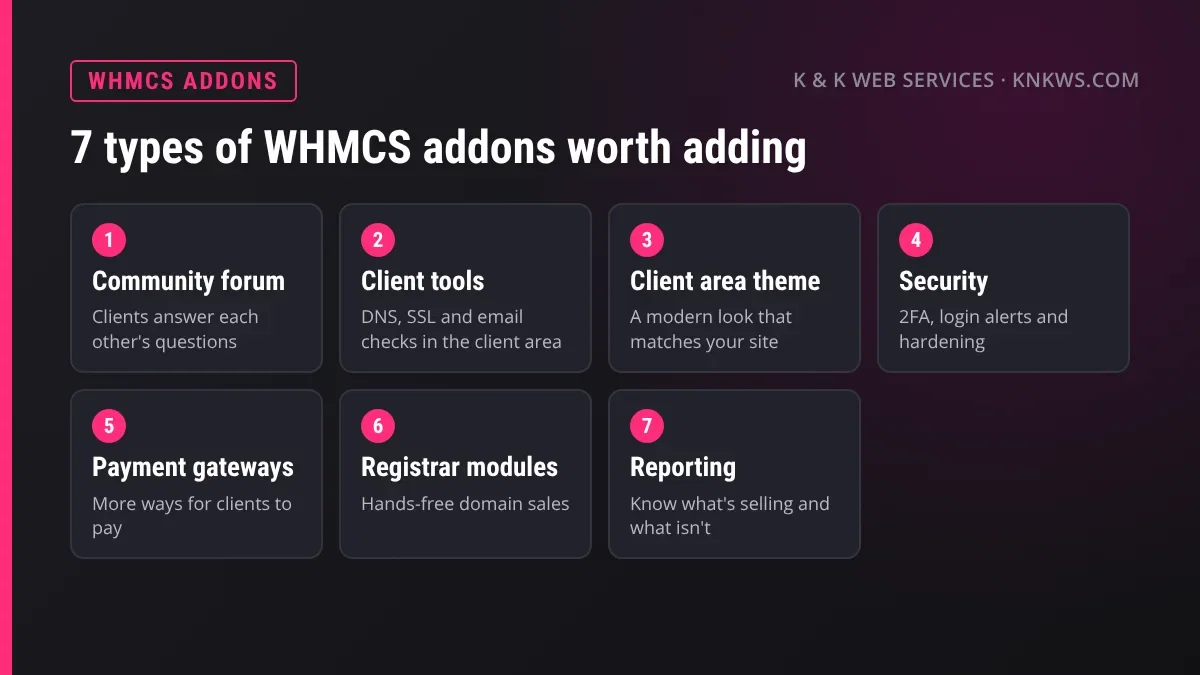
The 7 Types of Best WHMCS Addons
1. A Community Forum
WHMCS has a knowledgebase but no forum. A forum lets clients ask questions publicly, and other clients often answer before you do. The answers stay searchable, so the next client with the same problem finds them without opening a ticket. Over time a forum becomes the most useful help content you own, because clients wrote the questions in their own words.
We built Client Forum for exactly this. It runs inside the WHMCS client area using the client’s existing login, so there’s no second account to manage. The free version covers boards, threads, karma, best answers and search. Client Forum Pro adds reactions, canned responses, merge and split, profiles, a spam filter and an audit log. Our post on why a WHMCS community forum cuts repeat tickets explains the idea in more depth.
2. Self-Serve Client Tools
A large share of hosting tickets are really “is it you or me?” questions. Has my DNS change gone through? Is my SSL certificate valid? Why is my email landing in spam? Give clients the tools to check for themselves and those tickets disappear. Put the tools inside your client area and clients keep coming back to your brand instead of a third-party website.
Our Caddie WHMCS tools addon adds 24 of these: uptime monitoring, DNS propagation, SSL and WHOIS checks, an email deliverability checker, SPF and DMARC builders, blacklist lookups, SEO checks and more. It also shows you which clients use which tools, which is a handy sales signal.
3. A Client Area Theme
The default WHMCS look is familiar, which is exactly the problem. Clients who move from your polished website to a stock billing area can feel they’ve left your business. A good theme carries your brand through the whole client area. Look for one built on the official Twenty-One theme, so every WHMCS page and third-party addon keeps working.
Our Speck Host WHMCS theme is one example: a modern homepage built to sell hosting, a restyled dashboard and order form, and branding set in a single file. For more on safe customization, see our guide to WHMCS client area customization.
4. Security Addons
Your billing system holds client names, addresses, invoices and service logins. WHMCS already includes two-factor authentication, so switch that on first. After that, security addons typically add things like login alerts, IP restrictions for the admin area, or extra checks on orders. Before adding any, work through the free basics in our WHMCS security checklist, because most of the risk is removed by settings rather than software.
5. Payment Gateway Modules
WHMCS supports popular processors like PayPal and Stripe out of the box. If your clients prefer a local bank, a regional processor or a newer payment service, you’ll need a gateway module for it. More ways to pay means fewer late invoices. Our guide to WHMCS payment gateway modules explains how they work and what’s involved in building one.
6. Registrar Modules
If you sell domains, a registrar module registers, renews and transfers them automatically when a client pays. WHMCS ships with modules for many registrars, and others publish their own. Without one, someone has to log in to the registrar by hand for every order. Read how WHMCS registrar modules work before choosing a registrar.
7. Reporting and Insight
WHMCS has built-in reports for income, new customers and more. Reporting addons go further, with dashboards for churn, lifetime value or product trends. They’re worth it once you have enough clients for the numbers to mean something. Early on, the built-in reports are usually enough.
How to Choose the Best WHMCS Addons for Your Business
An addon runs inside your billing system, so a bad one can cause real trouble. Use this checklist before you install anything.

- Version support: it should list the WHMCS and PHP versions it supports. If it doesn’t mention your version, ask before you buy.
- Active updates: look for recent releases and a changelog. An addon that hasn’t been updated in years may break on the next WHMCS release.
- Real support: a ticket system, documentation you can read before buying, and a developer who answers.
- Fair licensing: clear terms on how many installs a license covers and what happens if you stop paying for updates.
- Test install: try it on a development copy of WHMCS first, never straight on your live billing system.
- Clean removal: it should deactivate without leaving broken pages or errors behind.
How Many Addons Is Too Many?
Every addon adds hooks, database tables and something else to update. A dozen addons that each solve a small problem can slow your admin area and make WHMCS updates riskier. Start with the one or two that solve your biggest problem, usually support tickets, then add more only when a real need appears. The best WHMCS addons are the ones you actually use every week.
Before every WHMCS update, check that each addon supports the new version. Our safe WHMCS update checklist covers how to test addons on a copy first.
Where to Find WHMCS Addons
The WHMCS Marketplace is the official directory, with reviews and version compatibility listed for each product. Many developers, including us, also sell directly from their own sites. Wherever you buy, the checklist above applies. You can browse all of our WHMCS addons and modules or visit our store for WHMCS, Blesta and Clientexec products in one place.
A Simple Starter Stack
If you’re running a small or growing hosting business and want a sensible starting point, this order works well:
- Switch on the built-in features first: two-factor authentication, knowledgebase, announcements and network status.
- Add a community forum so repeat questions get answered once, in public.
- Add self-serve client tools to cut “is it you or me?” tickets.
- Add a theme once you’re ready to make the client area match your brand.
- Add gateways, registrar modules and reporting as your sales grow.
Our reseller hosting plans make the first steps easier: Reseller 2 and Reseller 3 include a Caddie license and Client Forum Pro while your plan is active.
Frequently Asked Questions
What’s the difference between a WHMCS addon and a plugin?
In WHMCS they mean the same thing. WHMCS officially calls them addon modules, but many people search for “WHMCS plugins” when they mean addons.
Are free WHMCS addons safe?
Many are. Judge a free addon the same way as a paid one: recent updates, clear version support and a developer you can contact. Test it on a copy of WHMCS first.
Will addons break when I update WHMCS?
They can, which is why version support and active updates matter. Check each addon’s compatibility before every WHMCS update.
Which WHMCS addon should I buy first?
The one that solves your biggest problem. For most hosts that’s support tickets, so a community forum or self-serve client tools usually pay off first.
Do WHMCS addons need ionCube?
Many commercial addons are encoded with ionCube, just like WHMCS itself. Since WHMCS already needs the ionCube Loader, your server will usually have it installed.
Pick Addons That Earn Their Place
The best WHMCS addons pay for themselves in fewer tickets, happier clients and more sales. Start with what WHMCS already includes, add one addon at a time, and test everything on a copy first. If you have questions about any of our products, contact us and we’ll help you decide what fits.

